Hide Meeting Titles on Microsoft Teams Rooms: Logitech Android AOSP Guide

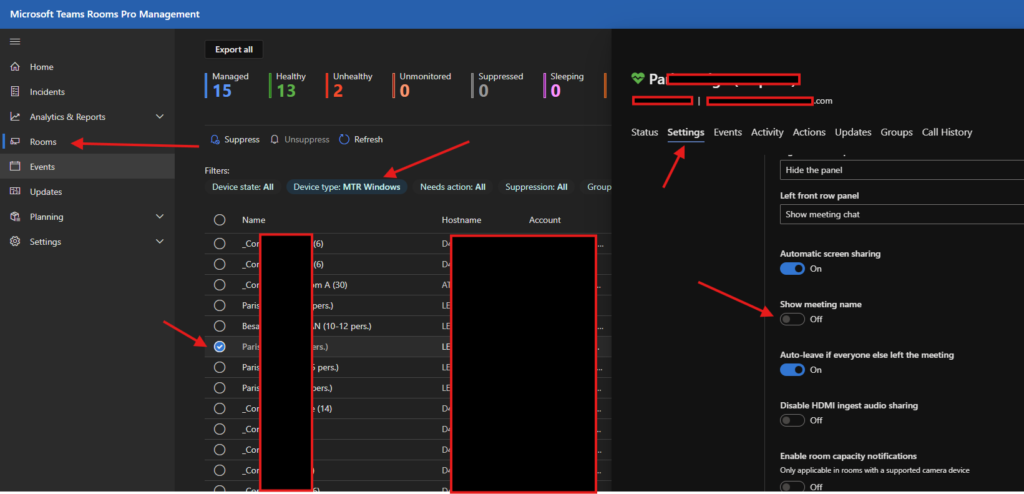
Microsoft Teams Rooms (MTR) provides administrators with granular control over room settings, including the ability to hide meeting room titles from display. This can be particularly useful for maintaining a clean interface or protecting sensitive meeting information. In this guide, I’ll walk you through the process of hiding meeting room titles specifically for Logitech Android […]
Read More
ms endpoint

Why User App Consent Is a Security Risk in Microsoft 365 (and How to Block It)

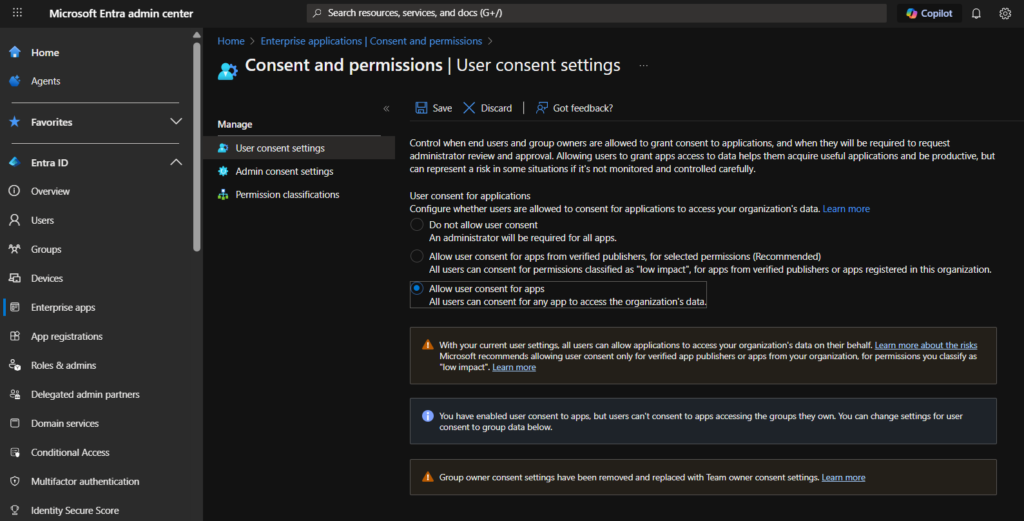
🔍 Introduction With the rise of productivity tools and AI integrations in Microsoft 365, organizations are increasingly seeing new apps like Read.ai, Otter.ai, and others automatically embedding themselves into users’ meetings, calendars, and communications. But how do these apps get access in the first place? The answer is often buried in a dangerous and often […]

Read More

Deploy Always-Updated Google Chrome via Intune Company Portal (Win32 App)

Google Chrome updates frequently, thanks in part to Google’s bounty program, which helps uncover security vulnerabilities. Ensuring that our end-users always run the latest and most secure version is critical. That’s why I created a Win32 app using a PowerShell script to check for and download the latest version of Chrome directly from the official […]

Read More
ms endpoint

Fix Office Apps Defaulting to ODS/ODT Format with Intune Proactive Remediation

Introduction As an Intune administrator, I recently encountered a configuration issue where Office applications—Excel, Word, and PowerPoint—were defaulting to open document formats (such as ODS and ODT) rather than the native Office formats (like XLSX, DOCX, and PPTX). This misconfiguration, introduced during the installation process, has the potential to create compatibility challenges and user confusion. […]

Read More
msendpoint

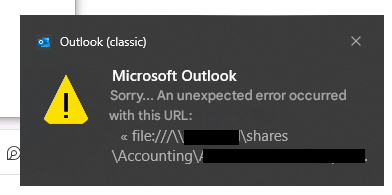
Remove Outlook Security Warnings & Configure Trusted Sites via Intune Policy

As IT administrators, ensuring a seamless and secure user experience is paramount. One common challenge is the frequent security warnings in Microsoft Outlook when users click on hyperlinks, especially those leading to trusted internal resources. Additionally, configuring trusted sites within your organization enhances security and productivity. This guide provides a step-by-step approach to remediate Outlook’s […]

Read More
ms endpoint update intune

Windows 10 to Windows 11 Upgrade with Intune: Complete Step-by-Step Guide (2025)

IntroductionUpgrading from Windows 10 to Windows 11 sounds simple on paper: click, install, done. But anyone who has managed more than three machines knows that reality is… different. Devices argue, policies complain, and users suddenly “forget” their password the moment you schedule a reboot. That’s where Microsoft Intune comes in. Think of it as your […]

Read More
policy intune favorites

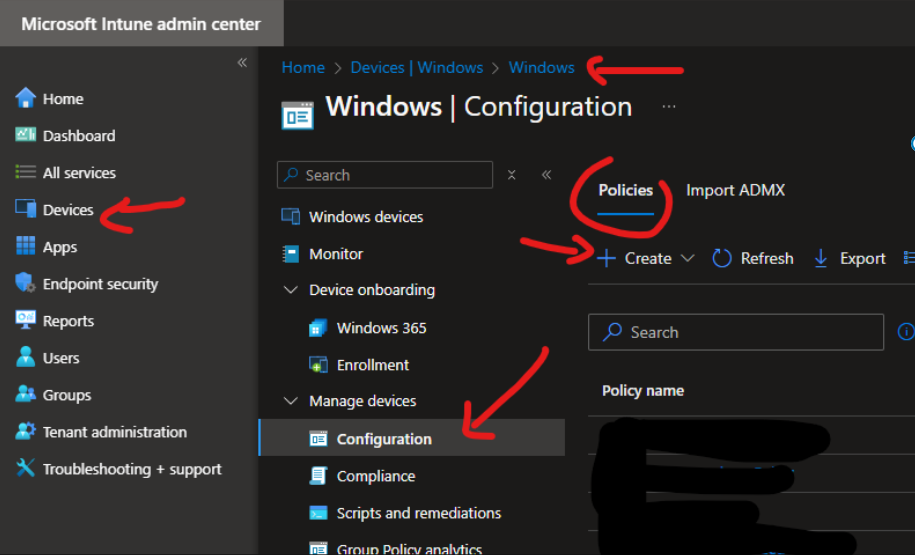
Deploy Browser Favorites in Microsoft Edge & Chrome via Intune (Managed Bookmarks)

Welcome to msendpoint.com, where we simplify technical configurations for IT admins. Today, we’ll guide you on how to configure Favorites in Microsoft Edge and Google Chrome using Intune. This step-by-step guide will save you time while efficiently managing browser settings for your organization. Why Configure Favorites via Intune? Favorites are essential for quick access to […]

Read More
Solution: Deletion via Microsoft Graph Explorer Step 1: Identify the device object ID Render Find the affected device and note its Object ID . Step 2: Use Microsoft Graph Explorer to find the object Go to [Microsoft Graph Explorer] Log in with an account that has Global Admin and Device.ReadWrite.All permissions . Perform a query GET using the device object ID: https://graph.microsoft.com/v1.0/devices/{ObjectID} Replace {ObjectID} with the copied ID.

Autopilot Device Stuck Deleting in Entra ID & Intune? Here’s the Fix

Introduction In some situations, you may encounter an issue where a Windows Autopilot device cannot be removed in Intune, even though management via Autopilot appears to be inactive. The « Remove » button is grayed out, and the object does not appear under Autopilot. This strange behavior particularly occurs with Hybrid Azure AD Join devices. In this […]

Read More

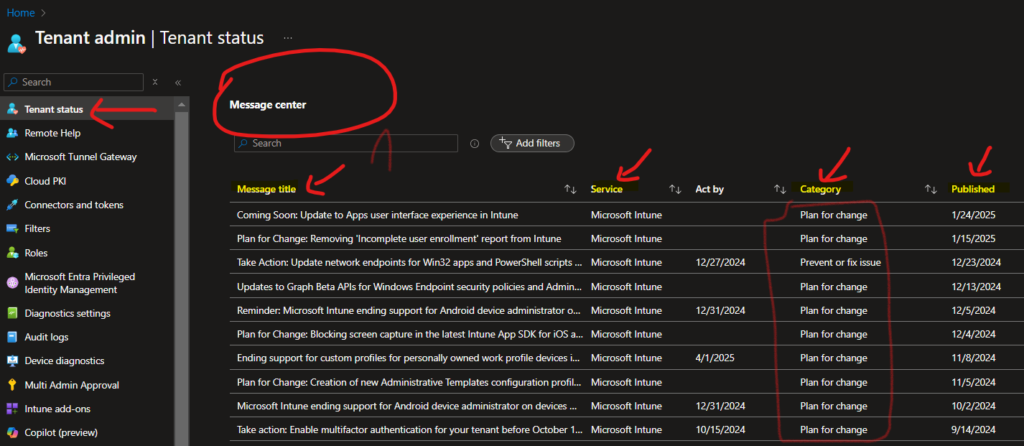
How to Stay Ahead of Microsoft Intune Updates and Avoid Breaking Changes

As an Intune / M365 admin, staying ahead is crucial for seamless device management Microsoft frequently updates Intune / M365 Products —bringing new features but also potential changes. Here’s how to stay informed and prepared. Tenant Admin | Tenant Status 📈 Frome Intune portal Microsoft provides vital tools in the Tenant Admin > Tenant Status […]

Read More