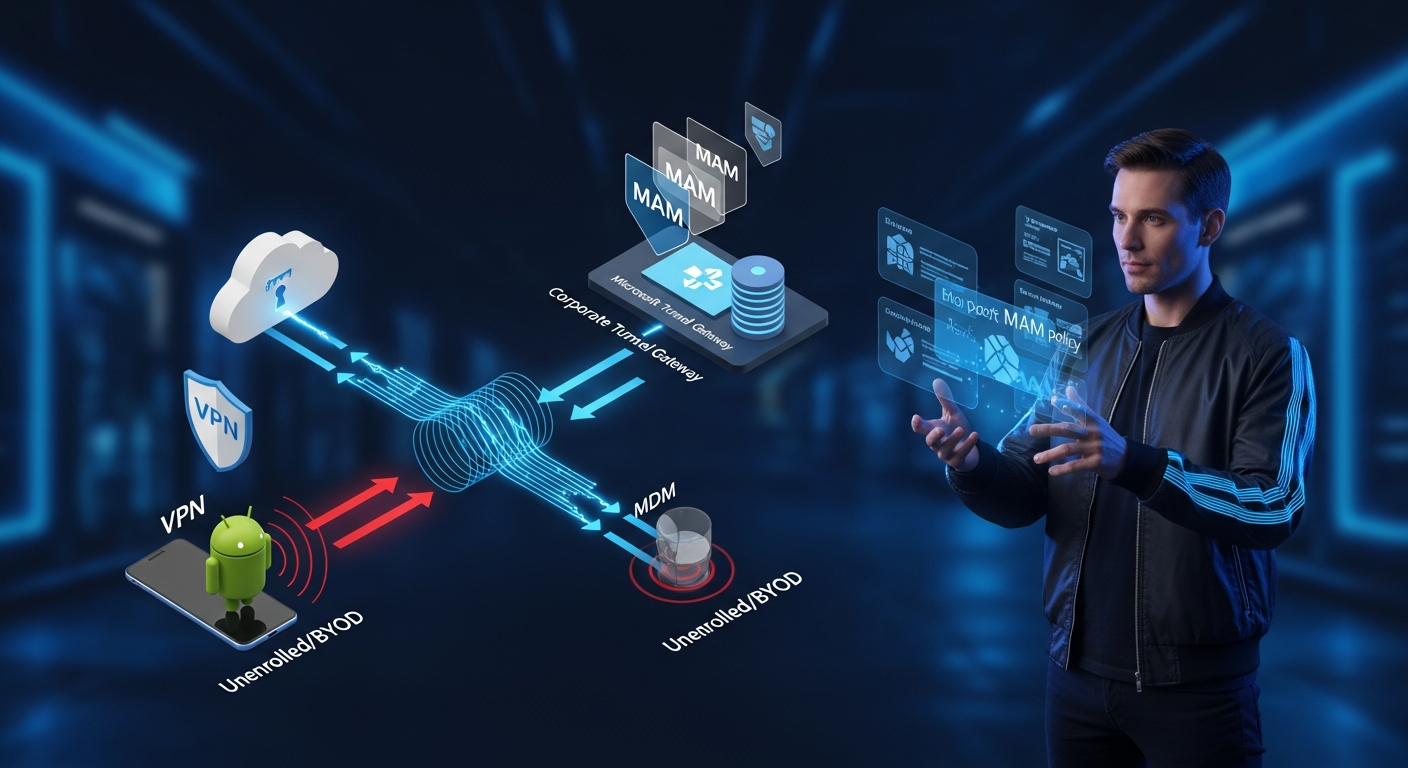
Most enterprise environments have a population of devices that will never fully enroll in MDM — contractor laptops running Android, BYOD phones where users refuse enrollment, or partner devices where your org has no management rights. Microsoft Tunnel for MAM closes that gap by extending the Tunnel VPN Gateway to unenrolled Android devices using App Protection Policies and App Configuration Policies, with Microsoft Defender for Endpoint acting as the VPN client. This article walks through the complete implementation from architecture to production-hardened configuration.
The Full Architecture
MDM vs MAM Tunnel — Know the Boundary
Before touching a single policy, understand the mutual exclusivity rules. Enrolled devices can receive either an MDM Tunnel configuration or a MAM Tunnel configuration — but not both simultaneously. That combination produces silent conflicts that are genuinely difficult to diagnose.
Prerequisites Checklist
| Component | Requirement | Critical? |
|---|---|---|
| Intune Plan 2 or M365 E5/F5 Security | License — check before anything | ✓ |
| Tunnel Gateway + Site configured | Existing infra required | ✓ |
| Microsoft Defender for Endpoint (Android) | Min version 1.0.4722.0101 | ✓ |
| Intune MAM SDK (Android) | Min version 9.5.0 for Trusted Root cert support | ✓ |
| Microsoft Edge (Android) | Latest from Google Play | ✓ |
| Intune Company Portal (Android) | Any current version — must remain installed, sign-in NOT required | ✓ |
| Android version | 10+ for Proxy config; 11+ for MAMCertTrustWebViewClient | ✓ |
| Azure 21Vianet | Not supported | ✗ |
| FIPS | Not supported | ✗ |
| GCC High / DoD | Supported | ✓ |
Implementation: Three Policies, One Group
The entire MAM Tunnel configuration is delivered through exactly three Intune policies. All three must target the identical Entra ID group. A mismatch in group targeting is the single most common cause of MAM Tunnel failures in production.
- App Configuration Policy — Microsoft Defender for Endpoint
Navigate to Intune Admin Center → Apps → App configuration policies → Create → Managed Apps. Set target to Managed Apps (unenrolled), select Microsoft Defender Endpoint for Android as the public app.
Configure the Microsoft Tunnel settings block:
// Key settings in Defender App Config policy
"Use Microsoft Tunnel VPN": "Yes"
"Connection name": "Corp-MAM-Tunnel"   // User-visible name
"Site Name": "[Select existing Tunnel Site]"
"Per-App VPN (Android)": "Optional"
"Always-on VPN": "No"  // CRITICAL: keep this disabled
Never Enable Always-on VPN HereEnabling Always-on VPN in the Defender App Config policy causes persistent connection failures and generates notification spam on user devices. Use StrictTunnelMode in the Edge policy instead.One Policy Per Device RuleDeploy exactly ONE Defender App Config policy per unenrolled device. If multiple policies with different tunnel settings land on the same device, they will conflict silently. Audit your group assignments carefully. - App Configuration Policy — Microsoft Edge
Create a second App Config policy: target Managed Apps (unenrolled), public app Microsoft Edge for Android. Add the following General Configuration key/value pairs:
// Edge App Config — General Configuration Settings

Key: "com.microsoft.intune.mam.managedbrowser.StrictTunnelMode"
Value: "True"
// Blocks all internet traffic in Edge when VPN is disconnected
// Only applies to unenrolled (MAM) devices — ignored on enrolled devices

Key: "com.microsoft.intune.mam.managedbrowser.TunnelAvailable.IntuneMAMOnly"
Value: "True"
// Enables identity-switch: VPN auto-connects on Work account,
// auto-disconnects on personal account or InPrivate browsing
Trailing Spaces Break Everything SilentlyIf you have a trailing space afterTruein either value field, the keys will not work and you will get no error. Strip trailing whitespace. Always. This has burned more than one production deployment. - App Protection Policy — Microsoft Edge
Navigate to Intune Admin Center → Apps → App protection policies → Create → Android. Target Microsoft Edge (Public App).
On the Data Protection tab, scroll to the bottom and set:
"Start Microsoft Tunnel connection on app-launch": "Yes"
Assign to the same Entra ID group as both App Config policies above.
Group Alignment = Everything WorkingAll three policies — Defender App Config, Edge App Config, App Protection — must target the identical Entra group. This is not optional. The MAM framework requires all three to be co-present on the device.
Identity Switch Behavior in Edge
The TunnelAvailable.IntuneMAMOnly key enables context-aware VPN connectivity. Understanding this state machine prevents a lot of confused user tickets.
LOB App Integration with MAM SDK
If you have internal Line of Business apps that need to traverse the Tunnel, they must integrate the Intune MAM SDK at version 9.5.0 or higher. The SDK exposes two certificate trust APIs you will need if your internal resources use private PKI certificates.
| API Class | Covers | Min Android |
|---|---|---|
MAMTrustedRootCertsManager | SSLContext, SSLSocketFactory, TrustManager, WebView | Android 10+ |
MAMCertTrustWebViewClient | WebView-specific certificate trust | Android 11+ |
LOB apps must be deployed as Available (not Required) from Intune to unenrolled devices. Deploying as Required to unenrolled devices will fail silently.
Automating Policy Deployment via Graph API
Once you understand the manual configuration, you should codify it. Here is the Graph API call to create a Managed App configuration policy for the Defender tunnel settings:
// POST — Create Defender App Config Policy for MAM Tunnel
POST https://graph.microsoft.com/beta/deviceAppManagement/targetedManagedAppConfigurations

// Request Body
{
  "displayName": "MAM-Tunnel-Defender-Config",
  "description": "Defender VPN config for unenrolled Android MAM Tunnel",
  "platformId": "android",
  "customSettings": [
    {
      "name": "VPN",
      "value": "true"
    }
  ],
  "apps": [
    {
      "mobileAppIdentifier": {
        "@odata.type": "#microsoft.graph.androidMobileAppIdentifier",
        "packageId": "com.microsoft.scmx"  // Defender package ID
      }
    }
  ]
}
// GET — Retrieve existing MAM App Config Policies to audit
GET https://graph.microsoft.com/beta/deviceAppManagement/targetedManagedAppConfigurations

// Filter by display name
GET https://graph.microsoft.com/beta/deviceAppManagement/targetedManagedAppConfigurations?$filter=displayName eq 'MAM-Tunnel-Defender-Config'
PowerShell: Audit MAM Tunnel Policy Alignment
This script connects to Microsoft Graph and audits whether all three required MAM Tunnel policies exist and are assigned to the same Entra group. Run it after any policy change to confirm alignment.
# MAM Tunnel Policy Alignment Auditor
# Requires: Microsoft.Graph PowerShell SDK
# Scopes: DeviceManagementApps.Read.All, Group.Read.All

param(
    [string]$TargetGroupName = "MAM-Tunnel-Users"
)

Connect-MgGraph -Scopes "DeviceManagementApps.Read.All", "Group.Read.All"

# Resolve target group ID
$group = Get-MgGroup -Filter "displayName eq '$TargetGroupName'"
if (-not $group) {
    Write-Error "Group '$TargetGroupName' not found. Exiting."
    exit 1
}
Write-Host "Target Group: $($group.DisplayName) [$($group.Id)]" -ForegroundColor Cyan

# Fetch all MAM app config policies
$appConfigs = Invoke-MgGraphRequest -Method GET `
    -Uri "https://graph.microsoft.com/beta/deviceAppManagement/targetedManagedAppConfigurations"

$defenderPolicy = $appConfigs.value | Where-Object { $_.apps.mobileAppIdentifier.packageId -contains "com.microsoft.scmx" }
$edgeConfigPolicy = $appConfigs.value | Where-Object { $_.apps.mobileAppIdentifier.packageId -contains "com.microsoft.emmx" }

# Fetch App Protection Policies
$appProtection = Invoke-MgGraphRequest -Method GET `
    -Uri "https://graph.microsoft.com/beta/deviceAppManagement/androidManagedAppProtections"
$edgeProtPolicy = $appProtection.value | Where-Object { $_.apps.mobileAppIdentifier.packageId -contains "com.microsoft.emmx" }

# Helper: check if a policy targets our group
function Test-PolicyTargetsGroup {
    param($PolicyId, $GroupId, $PolicyType)
    $assignments = Invoke-MgGraphRequest -Method GET `
        -Uri "https://graph.microsoft.com/beta/deviceAppManagement/${PolicyType}/${PolicyId}/assignments"
    $matched = $assignments.value | Where-Object {
        $_.target.groupId -eq $GroupId
    }
    return ($null -ne $matched)
}

# Audit results
$results = @(
    [PSCustomObject]@{ Policy="Defender App Config"; Found=($null -ne $defenderPolicy); TargetsGroup=($defenderPolicy ? (Test-PolicyTargetsGroup $defenderPolicy.id $group.Id "targetedManagedAppConfigurations") : $false) }
    [PSCustomObject]@{ Policy="Edge App Config";     Found=($null -ne $edgeConfigPolicy); TargetsGroup=($edgeConfigPolicy ? (Test-PolicyTargetsGroup $edgeConfigPolicy.id $group.Id "targetedManagedAppConfigurations") : $false) }
    [PSCustomObject]@{ Policy="Edge App Protection"; Found=($null -ne $edgeProtPolicy); TargetsGroup=($edgeProtPolicy ? (Test-PolicyTargetsGroup $edgeProtPolicy.id $group.Id "androidManagedAppProtections") : $false) }
)

$results | Format-Table -AutoSize

$allGood = $results | Where-Object { -not $_.Found -or -not $_.TargetsGroup }
if ($allGood) {
    Write-Warning "One or more policies missing or not targeting '$TargetGroupName'. Review output above."
} else {
    Write-Host "All three MAM Tunnel policies confirmed targeting '$TargetGroupName'." -ForegroundColor Green
}
Production Gotchas Reference
| # | Issue | Root Cause | Fix |
|---|---|---|---|
| 1 | VPN fails + user notifications | Always-on VPN enabled in Defender config | Disable it; use StrictTunnelMode in Edge instead |
| 2 | Tunnel never connects on launch | App Protection Policy targets different group | Align all three policies to identical Entra group |
| 3 | Multiple Defender policies conflicting | More than one App Config policy per device | Enforce exactly one Defender App Config policy per device |
| 4 | Proxy config ignored | Android version < 10 | VpnService.Builder limitation — unsupported pre-Android 10 |
| 5 | Trusted certs not working in LOB apps | MAM SDK < 9.5.0 | Upgrade to 9.5.0+ and implement MAMTrustedRootCertsManager |
| 6 | StrictTunnelMode not blocking on enrolled devices | Policy applies only to MAM (unenrolled) | Use device-level Tunnel VPN profile for enrolled devices |
| 7 | LOB app deploy fails | Deployed as Required to unenrolled device | Change to Available deployment type |
| 8 | Edge identity switch broken | Trailing whitespace in config values | Strip all trailing spaces from key values |
| 9 | MAM framework stops working | User uninstalled Company Portal | Company Portal must stay installed — even without sign-in |
| 10 | Azure 21Vianet / FIPS deployment | Not supported at all | No workaround — these environments are explicitly excluded |
/intune/protect/microsoft-tunnel-prerequisites — Licensing: /intune/fundamentals/licenses — Trusted cert profiles: /intune/protect/certificates-trusted-root